Sign In | Join Free | My burrillandco.com
burrillandco.com

Shenzhen Firecore Technology Co., Ltd.

Shenzhen Firecore Technology Co., Ltd. More than 15 years of old brand building, high-quality and high-performance service first, warranty for 3 years, lifelong maintenance

Active Member

3 Years

Home > Android Car Headrest Monitor >

USB Android Car Headrest Monitor high definition car WiFi display Navigation

Shenzhen Firecore Technology Co., Ltd.
Contact Now
    Buy cheap USB Android Car Headrest Monitor high definition car WiFi display Navigation from wholesalers
     
    Buy cheap USB Android Car Headrest Monitor high definition car WiFi display Navigation from wholesalers
    • Buy cheap USB Android Car Headrest Monitor high definition car WiFi display Navigation from wholesalers
    • Buy cheap USB Android Car Headrest Monitor high definition car WiFi display Navigation from wholesalers
    • Buy cheap USB Android Car Headrest Monitor high definition car WiFi display Navigation from wholesalers

    USB Android Car Headrest Monitor high definition car WiFi display Navigation

    Ask Lasest Price
    Brand Name : Huoxin Technology
    Model Number : HX-TS10
    Price : Negotiable
    Supply Ability : 1000
    Delivery Time : 15-30
    Payment Terms : T/T
    • Product Details
    • Company Profile

    USB Android Car Headrest Monitor high definition car WiFi display Navigation

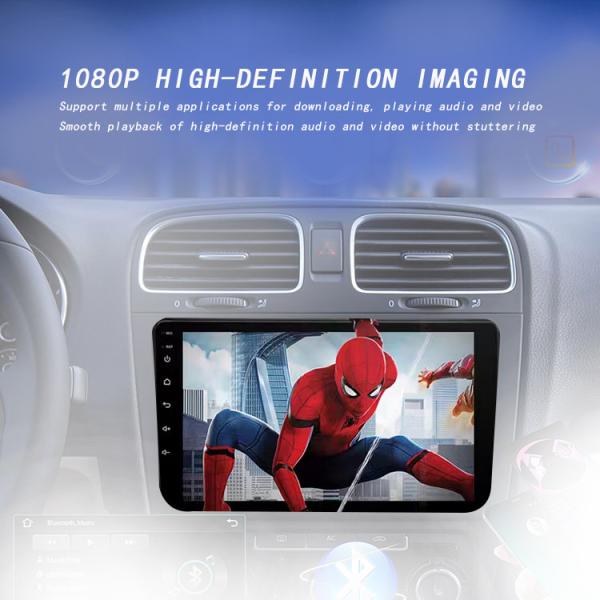
    WiFi display for car navigation high-definition display


    01WiFi, short press to turn on/off the switch, long press to enter the WiFi page
    02 Bluetooth, tap to enter the Bluetooth page
    03 Equalizer, tap to jump to sound effect adjustment
    04 screen saver, covering screen saver, displaying time: year, month, day, week
    Hour and minute information, touch screen to cancel screen saver display
    05 Settings, Jump to Settings Page
    06 floating icon, default closed, click to open, including screen off
    Volume+/-, brightness, mute, etc
    07 menu, in AUX mode, parameter adjustment window
    08 Clean memory, end running applications, release memory
    09 Screenshot, Save to File Manager Image Classification
    10. Restart. Is the pop-up confirmation for restarting the car machine
    Below 11 are brightness and volume bars, drag the blue node to slide and adjust


    Navigation software installation
    Internet installation: Car Must Install Market - Search for Navigation Name - Download An
    Install (connect to the network).
    Manual installation: Copy the USB/SD card device with navigation APK
    Wait, connect to the car's USB - open the APK installer/file
    Manager - Find the corresponding USB port and map and click Install.
    Bind navigation application (requires binding navigation application before entering navigation)
    Open [Car Settings] - Navigation Directory - Navigation Software Selection - Select the application you want to bind - Click [Return] to save.
    Navigation memory activation (i.e. entering the map boundary after the car is powered on and started)
    Car settings - General - Navigation memory activation set to on


    Quality USB Android Car Headrest Monitor high definition car WiFi display Navigation for sale
    Inquiry Cart 0
    Send your message to this supplier
     
    *From:
    *To: Shenzhen Firecore Technology Co., Ltd.
    *Subject:
    *Message:
    Characters Remaining: (0/3000)